
Keeping Safe Doesn’t Mean Breaking the Bank
There’s a real peace of mind that comes with knowing your home is secure, but that shouldn't require emptying your savings account. It feels like everything is getting more expensive, and home security is no exception. Many people are looking for ways to protect their families and property without taking on a huge financial burden.
Thankfully, a decent level of protection is achievable for under $200 in 2026. We’re talking about a basic system that can deter burglars and alert you to potential problems. It won't be the most elaborate setup, but it’s a solid starting point. This article will walk you through ten affordable home security systems, outlining what you can realistically expect for your money.
We’ll cover the core features to prioritize, potential drawbacks of cheaper systems, and offer a bit of my take on systems that stand out. My goal is to give you the information you need to make an informed decision and find the best fit for your needs and budget.
What You Get For Under $200
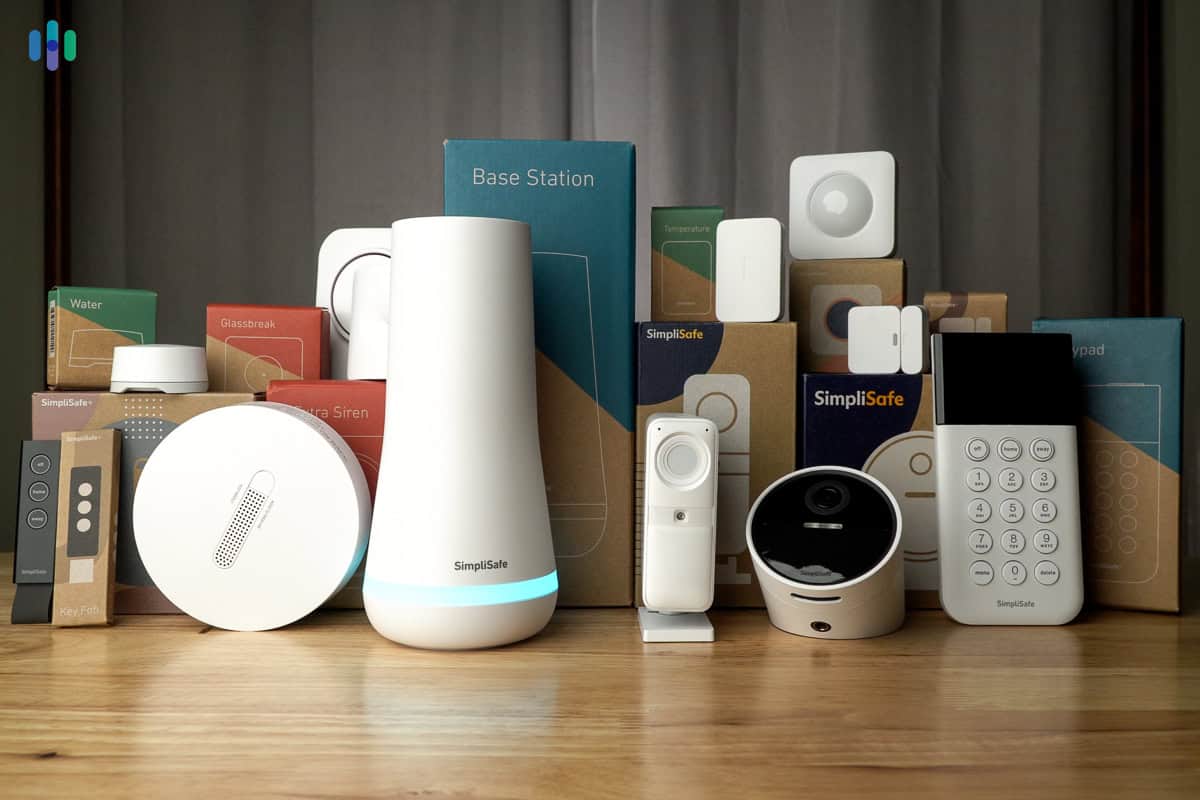
Let’s be honest: a $200 budget comes with limitations. You're not going to get a fully-fledged, professionally installed system with all the bells and whistles. What can you expect? Primarily, you'll be looking at systems centered around basic protection: door and window sensors, and motion detection. These are the core components that will alert you to potential intrusions.
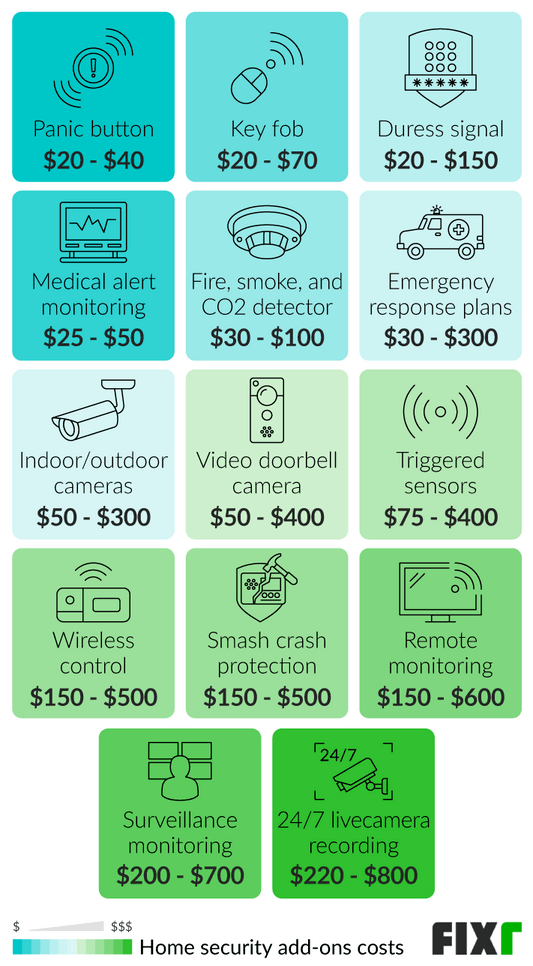
Don’t count on features like 24/7 professional monitoring, advanced smart home integration, or a suite of indoor/outdoor cameras at this price point. Those features usually add significant cost. Most systems in this range rely on self-monitoring – meaning you’re responsible for responding to alerts and contacting emergency services if necessary.
Contract requirements are generally minimal or nonexistent with these budget options, which is a major plus. However, be aware of potential hidden fees. Some companies charge activation fees, or require you to purchase additional equipment to get the most out of the system. Read the fine print carefully before committing to anything.
Equipment costs are the biggest factor. Many systems offer a starter kit around the $200 mark, but adding extra sensors or features quickly drives up the price. It’s important to assess your needs and prioritize the areas you want to protect most. Don’t overspend on features you won’t actually use.
Top 10 Affordable Systems (2026)
Here's a rundown of ten affordable home security systems available in 2026, keeping in mind the $200 price point. Prices are approximate and based on information from SafeHome.org and Security.org.
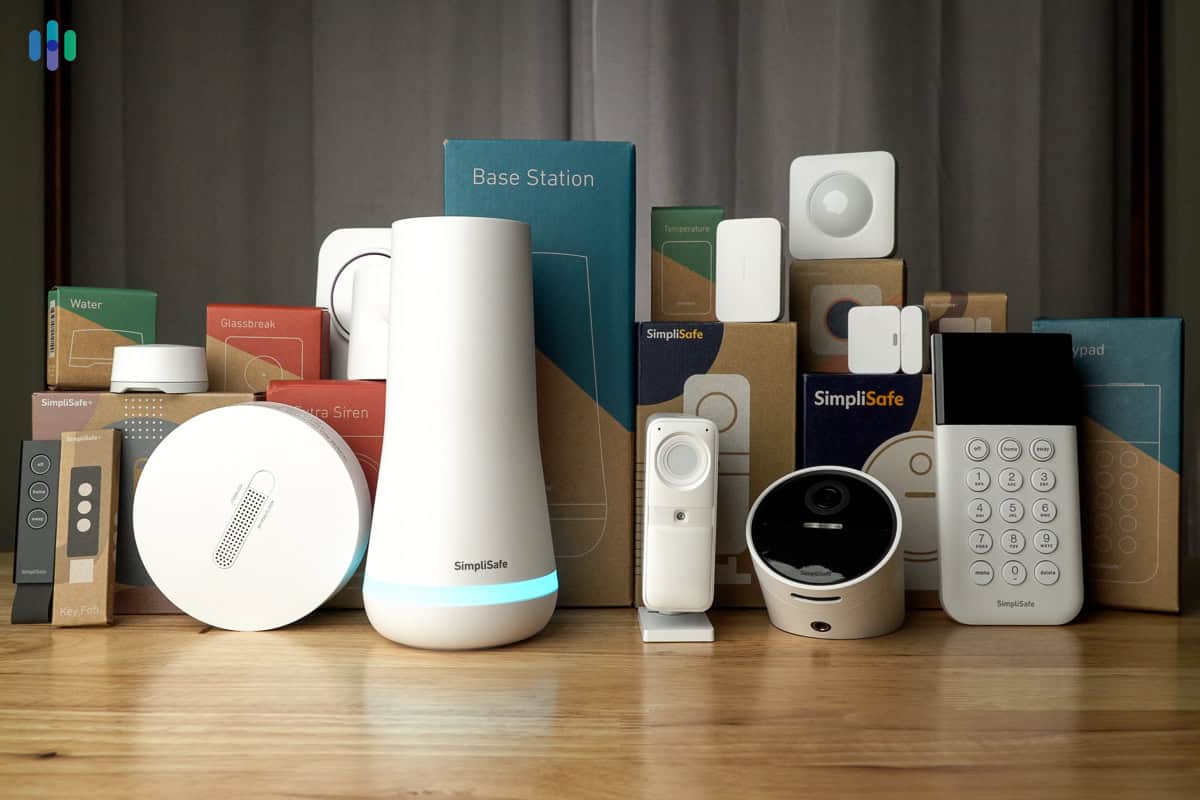
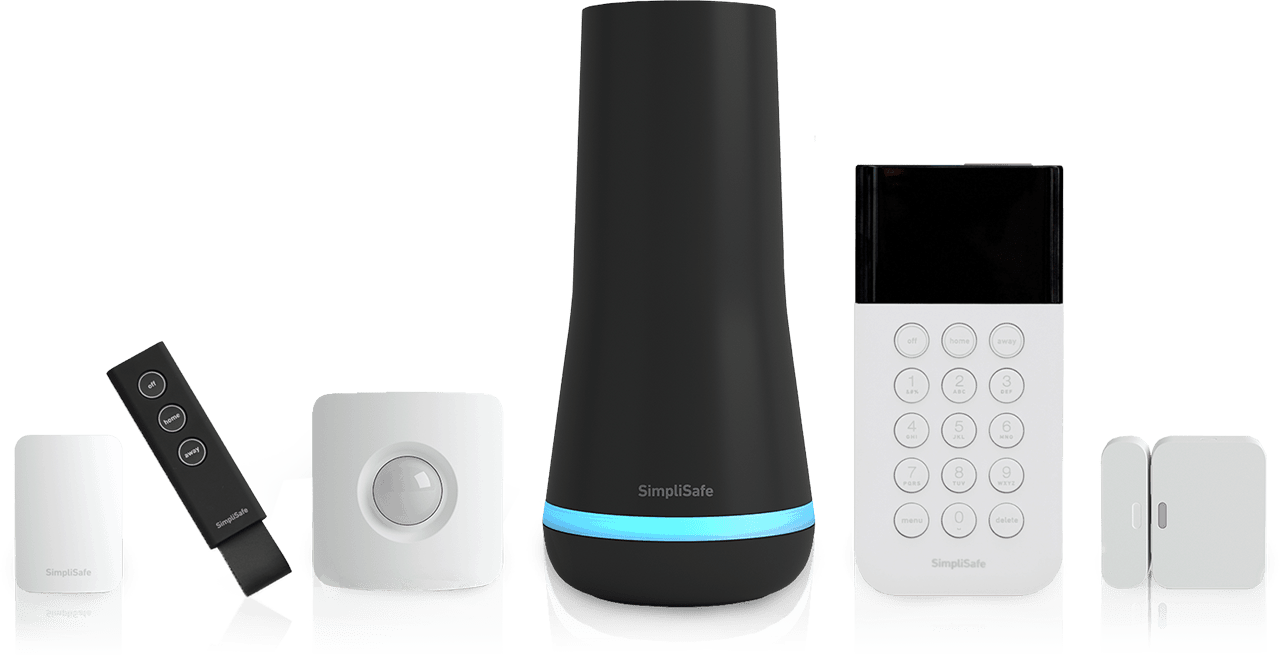
SimpliSafe: Around $189 for a basic starter kit. SimpliSafe is consistently ranked among the best DIY systems. It’s known for its ease of use and no-contract flexibility. The basic kit includes a base station, entry sensors, and a keypad. While it’s reliable, the monthly monitoring fees can add up if you choose to upgrade.
Ring Alarm: Approximately $199 for a starter kit. Ring Alarm is a solid option, particularly if you’re already invested in the Amazon ecosystem. It integrates seamlessly with Ring cameras and other Alexa devices. However, you’ll need a subscription for professional monitoring and to access recorded footage.
Abode: Starts at $179. Abode offers a bit more flexibility than some other systems, with options for both DIY and professional monitoring. It's compatible with a wide range of smart home devices. It’s a good choice if you want a system that can grow with your needs.
Wyze Home Monitoring: Around $79 for the core system (requires Wyze Cam). Wyze is known for its incredibly affordable cameras, and their home monitoring system is similarly priced. It’s a great entry point for those on a very tight budget, but the system is relatively basic.
Eufy Security: Starter kits from $199. Eufy focuses on local storage and privacy, meaning your video footage isn't stored in the cloud. This can be a selling point for some. It integrates with Apple HomeKit, which is a plus for Apple users.
Blue by ADT: Around $189 for a starter kit. Blue by ADT is a more affordable alternative to a traditional ADT system. It offers professional monitoring options, but the equipment is less sophisticated.
Cove: Starts at $149. Cove is a newer player in the market, but it’s gaining popularity for its affordable pricing and 24/7 professional monitoring. It offers a lifetime warranty on its equipment.
Frontpoint: Approximately $199 for a basic package. Frontpoint is another DIY system with a focus on customer service. It offers a range of customization options to fit your specific needs.
Vivint: While typically more expensive, promotional offers can sometimes bring starter kits close to $200. Vivint is a full-service system with professional installation and monitoring. It’s a good choice if you want a hands-off experience.
Castle Security: Starts at $199. Castle Security is a lesser known system, but offers a lot for the price. It boasts a good range of sensors and integrations with smart home devices. It's a solid option for those looking for something a little different.
- Consider your needs: How many doors and windows do you want to protect?
- Read reviews: See what other customers are saying about the system.
- Check for hidden fees: Activation fees, monitoring costs, etc.
- Evaluate smart home compatibility: Does the system work with your existing devices?
Featured Products
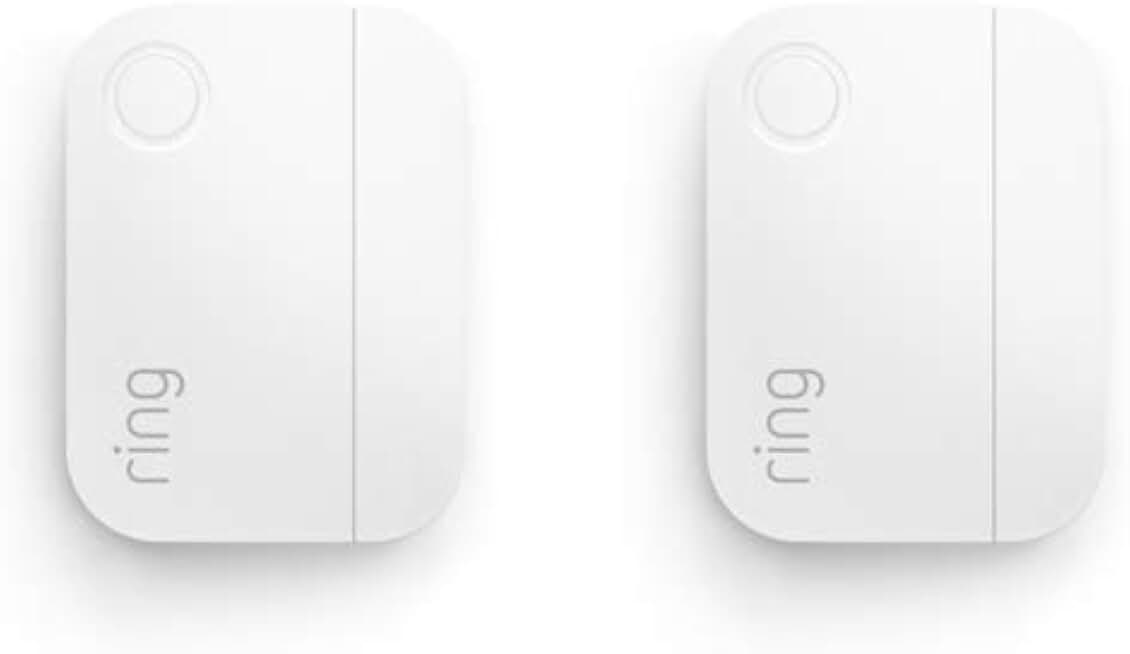
Instant alerts for opened or closed windows and doors · Approximately 3-year battery life · Slim design for discreet installation
These essential security components offer robust protection and smart features, allowing you to build a comprehensive and affordable home security system without breaking the bank.

Detects motion within its range · Requires Wyze Sense Hub for operation · Compact and easy to place
These essential security components offer robust protection and smart features, allowing you to build a comprehensive and affordable home security system without breaking the bank.

Detects motion within its range · Compatible with SimpliSafe Gen 2 systems · Easy to integrate into your existing setup
These essential security components offer robust protection and smart features, allowing you to build a comprehensive and affordable home security system without breaking the bank.
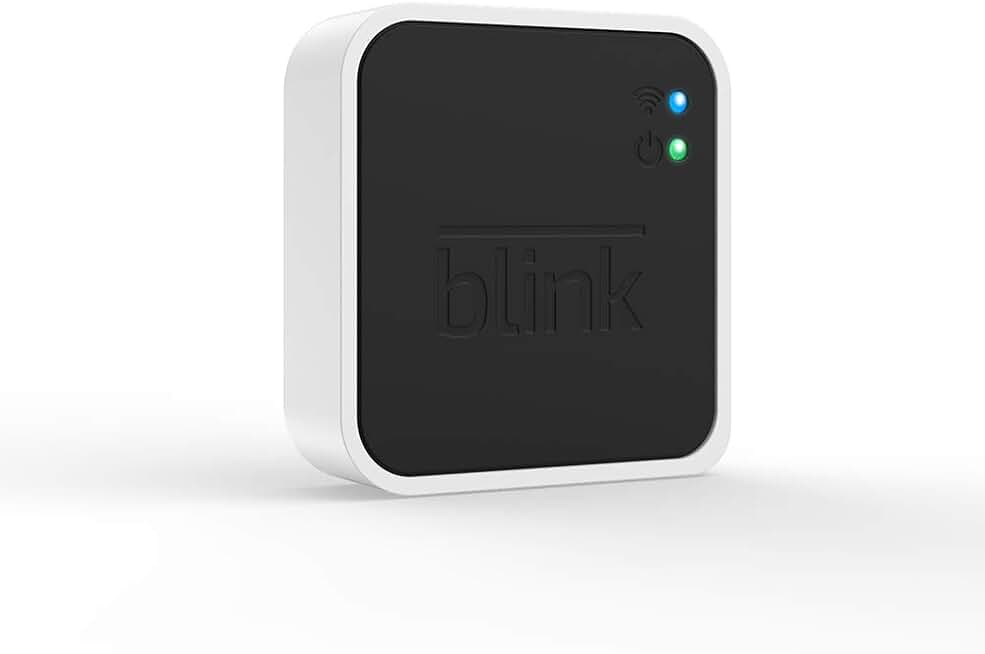
Connects Blink devices to your home network · Enables local storage of video clips · Supports up to 10 Blink devices
These essential security components offer robust protection and smart features, allowing you to build a comprehensive and affordable home security system without breaking the bank.

Detects opened and closed doors or windows · Sends alerts to your smartphone · 2-year battery life
These essential security components offer robust protection and smart features, allowing you to build a comprehensive and affordable home security system without breaking the bank.
As an Amazon Associate I earn from qualifying purchases. Prices may vary.
SimpliSafe: A Consistent Performer?
SimpliSafe consistently appears on 'best of' lists, and for good reason. In 2026, it remains a strong contender for those seeking a simple, reliable, and affordable home security solution. Its DIY nature means you avoid installation costs and can set it up yourself in a matter of minutes. The lack of long-term contracts is a huge benefit.
However, SimpliSafe’s basic features can feel a bit limited compared to some other systems. The entry-level plan doesn't include camera access, and the potential for false alarms has been noted by some users. While the system is easy to use, it requires a bit of vigilance to prevent accidental triggers.
At around $189 for a starter kit, SimpliSafe is competitively priced. Monthly monitoring plans start at around $17.99, which is reasonable, but those costs can add up over time. It’s important to weigh the cost of monitoring against your own willingness and ability to self-monitor.
Ring Alarm: Ecosystem Lock-In?
Ring Alarm’s biggest draw is its integration with other Amazon devices. If you’re already heavily invested in the Amazon ecosystem – with an Echo Dot on every corner and a Ring doorbell at the front door – it’s a natural fit. The system works seamlessly with Alexa, allowing for voice control and automated arming/disarming.
However, that integration can also be a drawback. It feels like you’re being nudged towards purchasing other Ring products to get the most out of the system. The cost of optional professional monitoring is also something to consider, starting at around $20 per month.
Privacy concerns surrounding Ring cameras have been raised in the past. While Ring has taken steps to address these concerns, it's something to be aware of. If you’re particularly sensitive about privacy, you might want to explore other options. It just feels like you're giving up a lot of data.
DIY vs. Professional Installation
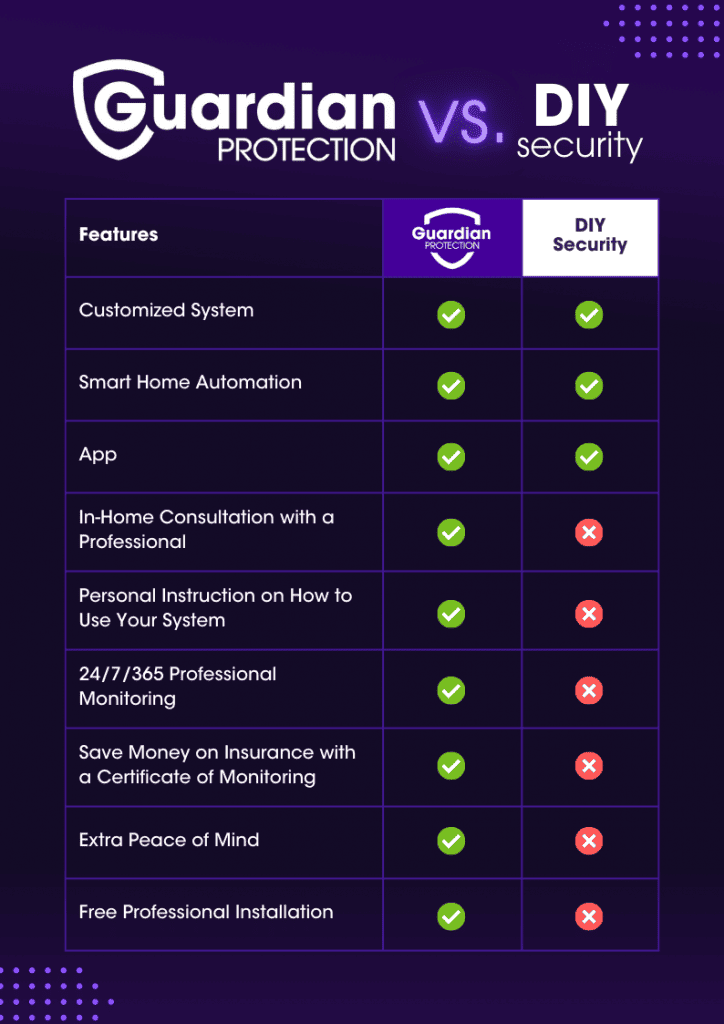
The choice between DIY and professional installation largely depends on your technical skills and willingness to put in the effort. DIY systems are significantly cheaper upfront, as you’re avoiding the cost of professional labor. They’re also more flexible, allowing you to customize the system to your exact needs.
However, DIY installation requires more time and effort. You’re responsible for mounting sensors, connecting the base station, and configuring the system. There’s also the potential for errors, which could compromise your security. If you’re not comfortable with basic home improvement tasks, professional installation might be a better option.
Professional installation adds cost, but it ensures everything is set up correctly and functioning properly. It also provides peace of mind knowing that a trained technician has verified the system’s performance. It’s a good choice for homeowners or those who want a hassle-free experience.
- DIY Installation Checklist:
- Read the instructions carefully.
- Test all sensors and devices after installation.
- Ensure the base station is properly connected to your Wi-Fi network.
- Familiarize yourself with the system’s features and settings.
- Test the system regularly to ensure it’s functioning correctly.
Beyond the Basics: Smart Home Integration
Many budget security systems offer some level of smart home integration, allowing you to control the system using your voice or automate certain tasks. For example, you might be able to arm or disarm the system using an Alexa voice command, or set up a routine that automatically arms the system when you leave home.
However, the level of integration can vary significantly. Some systems offer limited compatibility, while others work seamlessly with a wide range of smart home devices. It’s important to check compatibility before purchasing a system, especially if you already have a smart home setup.
While smart home integration can be convenient, it also introduces potential security risks. Make sure to secure your smart home devices with strong passwords and keep their firmware up to date. Be mindful of the permissions you grant to third-party apps and services.
Common Pitfalls & How to Avoid Them
Choosing and installing a budget security system isn’t always straightforward. Here are some common mistakes people make and how to avoid them. First, don't skimp on sensors. Make sure you have enough door and window sensors to adequately protect your home. A system with only a few sensors won’t provide much coverage.
Neglecting to test the system regularly is another common mistake. Test all sensors and devices at least once a month to ensure they’re functioning properly. Also, don’t use a weak password. Choose a strong, unique password for your system and change it regularly.
Failing to read the fine print can lead to unexpected fees. Pay close attention to activation fees, monitoring costs, and contract terms. Finally, don’t ignore software updates. Keep your system’s firmware up to date to ensure you have the latest security patches and features.
- FAQ:
- Q: Do I really need professional monitoring? A: Not necessarily. Self-monitoring is a viable option if you’re willing to be vigilant and respond to alerts promptly.
- Q: What is the best system for renters? A: SimpliSafe and Ring Alarm are both good options for renters, as they’re easy to install and remove.
- Q: Can I expand the system later? A: Most systems allow you to add additional sensors and devices as needed.
- Q: What about false alarms? A: False alarms can be a nuisance. Make sure to properly configure the system and test it thoroughly to minimize the risk.
No comments yet. Be the first to share your thoughts!