
Why wireless security matters now
The shift from wired to wireless IoT security is no longer a trend; it is the standard for modern home protection. Wireless systems remove the need for invasive drilling and complex cabling, allowing you to install alarms, cameras, and smart locks in minutes rather than days. This convenience is the primary driver for the explosion of connected home devices, making high-level security accessible to renters and homeowners alike.
However, this connectivity introduces a new layer of responsibility. Every camera, sensor, and lock that connects to your Wi-Fi network is a potential entry point for cyber threats. Unlike a traditional hardwired alarm that operates in isolation, a wireless system lives on your digital infrastructure. If your network is compromised, your physical security devices can be exposed.
To maintain safety without sacrificing convenience, you must treat your home network like a physical lock. Strong passwords, regular firmware updates, and network segmentation are just as important as the hardware itself. By understanding these digital risks, you can select wireless gear that offers both robust physical protection and strong data privacy.
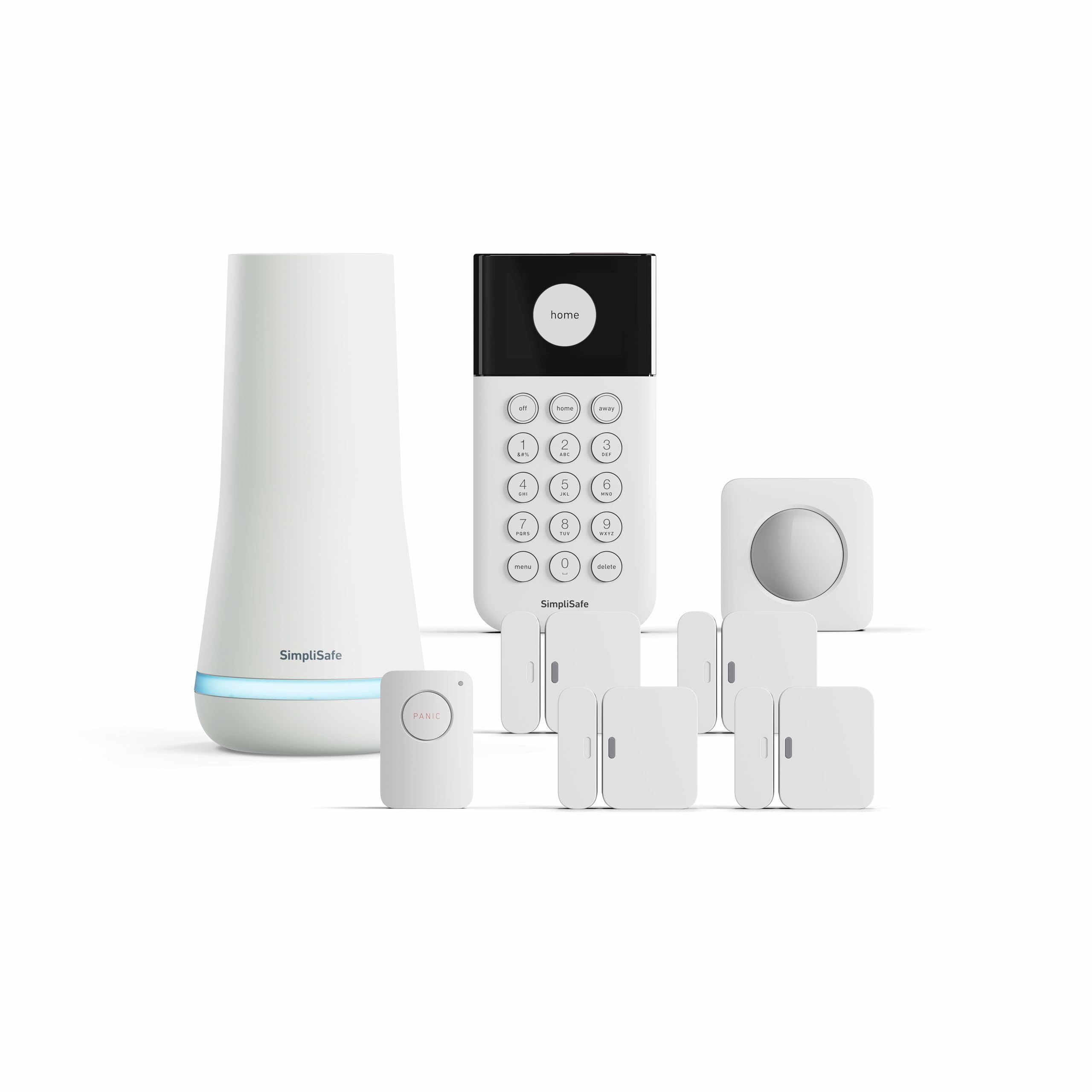
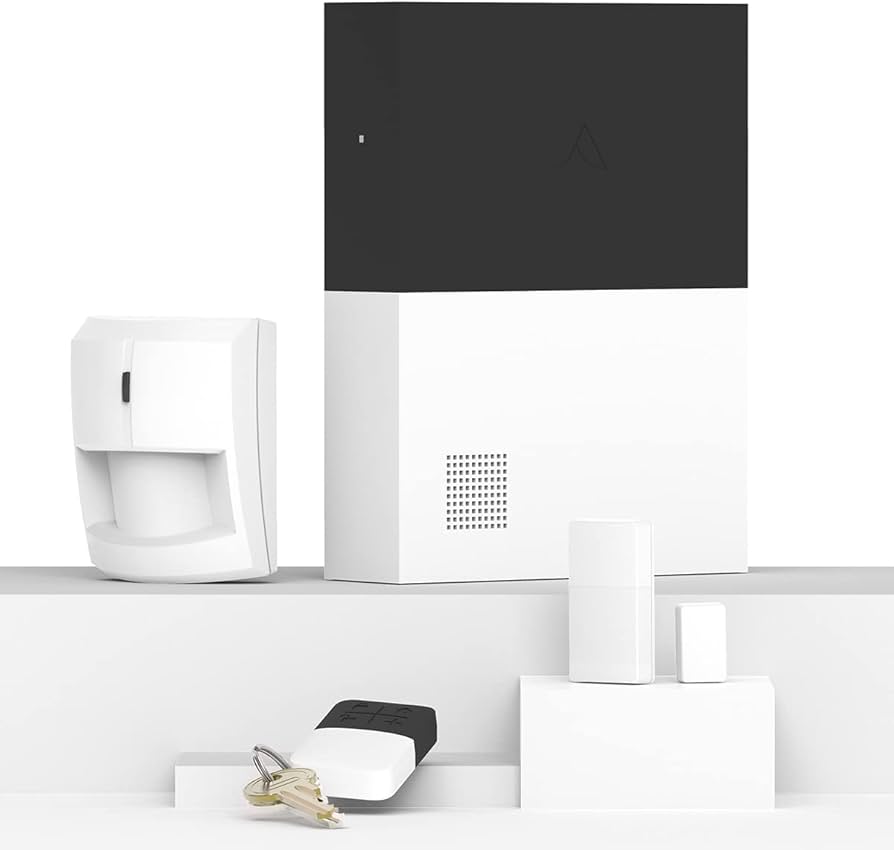
Best wireless alarm systems
Wireless alarm systems have shifted from bulky, professional-only installations to plug-and-play devices that fit into a smart home ecosystem. The primary advantage is the elimination of drilling and wiring, which makes them ideal for renters or anyone who wants to deploy security without permanent modifications. Reliability now hinges on two factors: signal stability and battery longevity. Modern systems use mesh networks or dual-band connectivity to ensure sensors stay connected even if a wall interferes with the signal.
When evaluating these systems, prioritize those with local storage options or encrypted cloud backups to address IoT privacy concerns. A system that sends unencrypted video feeds to third-party servers introduces unnecessary risk. Look for devices that allow you to disable microphones or cameras when you are home, giving you control over data collection. The best wireless alarms balance ease of installation with robust encryption standards.
Below are top-rated wireless alarm systems available on Amazon, selected for their reliable connectivity and user-friendly setup processes.

As an Amazon Associate, we may earn from qualifying purchases.
Smart cameras and video doorbells
Smart cameras and video doorbells serve as the first line of defense for home safety, offering real-time visual verification of who is at your door and what is happening around your property. Unlike passive alarms, these devices provide concrete evidence of activity, allowing you to monitor entry points and common areas with precision. When selecting hardware, prioritize models that balance high-definition video quality with robust privacy controls, ensuring your home remains secure without becoming a data vulnerability.
Video clarity and night vision capabilities are the most critical technical specifications for any security camera. Look for models with at least 1080p resolution, though 2K or 4K options provide sharper facial recognition in low-light conditions. Infrared night vision is standard, but color night vision technologies are becoming increasingly common in premium models, offering better detail during evening hours. A wide field of view, typically between 140 and 180 degrees, ensures comprehensive coverage of doorways and driveways, reducing blind spots where intruders might hide.
Storage options define the privacy and cost structure of your security system. Cloud storage offers convenience and off-site backup, protecting footage even if the camera is stolen or damaged, but it often requires a monthly subscription and raises questions about data ownership. Local storage via SD cards or network video recorders (NVRs) keeps your footage private and eliminates recurring fees, though it may limit remote access features. Choose a system that aligns with your comfort level regarding data retention and third-party access.
| Model | Resolution | Storage Type | Field of View |
|---|---|---|---|
| Ring Video Doorbell 4 | 1080p HD | Cloud (Subscription) | 160° horizontal |
| Arlo Essential Spotlight | 1080p HD | Cloud or Local SD | 160° |
| Blink Outdoor 4 | 1080p HD | Cloud or Local USB | 110° diagonal |
| Nest Doorbell (Battery) | HDR 1080p | Cloud (Subscription) | 145° diagonal |
Smart locks and access control
Smart locks transform how you manage entry, offering keyless convenience and temporary access codes for guests or service providers. When integrated with a broader alarm system, they provide an additional layer of security by logging every entry and exit. This integration ensures you know exactly who is in your home and when, adding accountability to your daily routine.
Battery life is a critical consideration for any smart lock. Most models run on AA or AAA batteries for 6 to 12 months, but heavy usage or extreme temperatures can drain power faster. Look for locks with low-battery alerts that notify your phone before the batteries fail completely. Some models also offer USB emergency power ports, allowing you to jump-start the lock if it dies unexpectedly.
Privacy and security are paramount when choosing a smart lock. Ensure the device uses encrypted communication protocols like Z-Wave or Zigbee, which are generally more secure than standard Wi-Fi. Avoid locks that store sensitive data on unsecured cloud servers. Instead, opt for brands that offer local processing or end-to-end encryption, keeping your access codes and entry logs private.


As an Amazon Associate, we may earn from qualifying purchases.
Securing your IoT network
Smart devices are only as secure as the network they live on. An unsecured Wi-Fi router or a default password on a smart lock can turn your connected home into an easy target for cybercriminals. Protecting your IoT ecosystem requires a layered approach that starts with your router and extends to every connected gadget.
The first line of defense is simple but often ignored. Change the default admin password on your Wi-Fi router and the default login credentials for every IoT device. Use a strong, unique password for each device to prevent a breach in one device from compromising the entire network.

Isolate your smart devices from your main network. Most modern routers support a guest network or VLAN feature. Move your IoT devices—like cameras, thermostats, and lights—to this separate network. This prevents a compromised smart bulb from accessing your personal computer or phone where you store sensitive data.
Manufacturers regularly release firmware updates to patch security vulnerabilities. Enable automatic updates on your router and IoT devices whenever possible. If automatic updates aren't available, check for them monthly. Outdated firmware is a common entry point for malware and unauthorized access.
Ensure your Wi-Fi network uses WPA3 encryption, the latest and most secure standard. If your router doesn't support WPA3, use WPA2-AES. Avoid WEP or WPA-TKIP, which are outdated and easily cracked. This encryption protects the data traveling between your devices and your router from eavesdropping.
A secured network is the foundation of home safety. By following these steps, you significantly reduce the risk of unauthorized access to your smart home ecosystem.
Frequently asked questions about home safety
What is basic home safety?
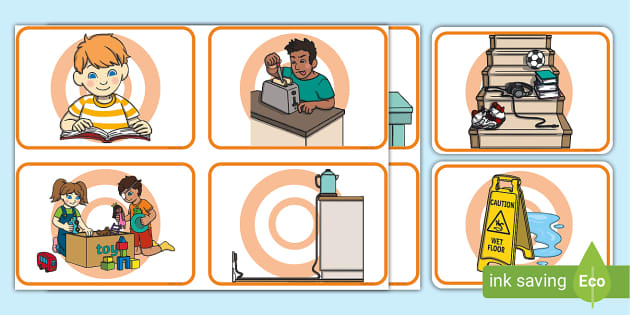
Basic home safety starts with preventing accidental injuries, especially for children. Cover unused electrical sockets, keep cords out of reach, and install protective padding on sharp furniture corners. Use safety latches on cabinets and never leave young children unattended. These simple physical barriers reduce the most common household accidents before they happen.
How do I secure my smart home devices?
Protect your IoT privacy by changing default passwords on all cameras, locks, and alarms immediately. Place these devices on a separate Wi-Fi network or guest network to isolate them from your main computers. Regularly update firmware to patch security vulnerabilities. This segmentation ensures that if one device is compromised, your entire digital life remains secure.
What fire safety gear do I need?
Every floor needs a working smoke detector and a fire extinguisher, particularly in the kitchen. Store matches and lighters in locked cabinets away from children. Keep an emergency escape ladder accessible if you live above the first floor. These items are the first line of defense against the most destructive home hazards.
No comments yet. Be the first to share your thoughts!