
Keeping Safe Doesn’t Mean Breaking the Bank
Home security can feel like a worry these days, with crime headlines making us want to protect our families and belongings. But you don't need a costly, professionally installed system to feel secure. The market for affordable home security has grown, offering real protection for everyday people.
Capable systems are now available for under $200. Technology advances and competition have lowered prices and improved quality, offering seven budget security systems that provide peace of mind.
The goal is to find practical, reliable, and affordable options for homeowners or renters, focusing on what you get for your money and where these systems might fall short compared to pricier options. The aim is usable security, not just impressive specs.
What $200 Buys You in 2026
A $200 budget limits expectations. You won't find 24/7 professional monitoring included. These systems are for self-monitoring: you get smartphone alerts and must contact emergency services yourself. This is a significant difference.
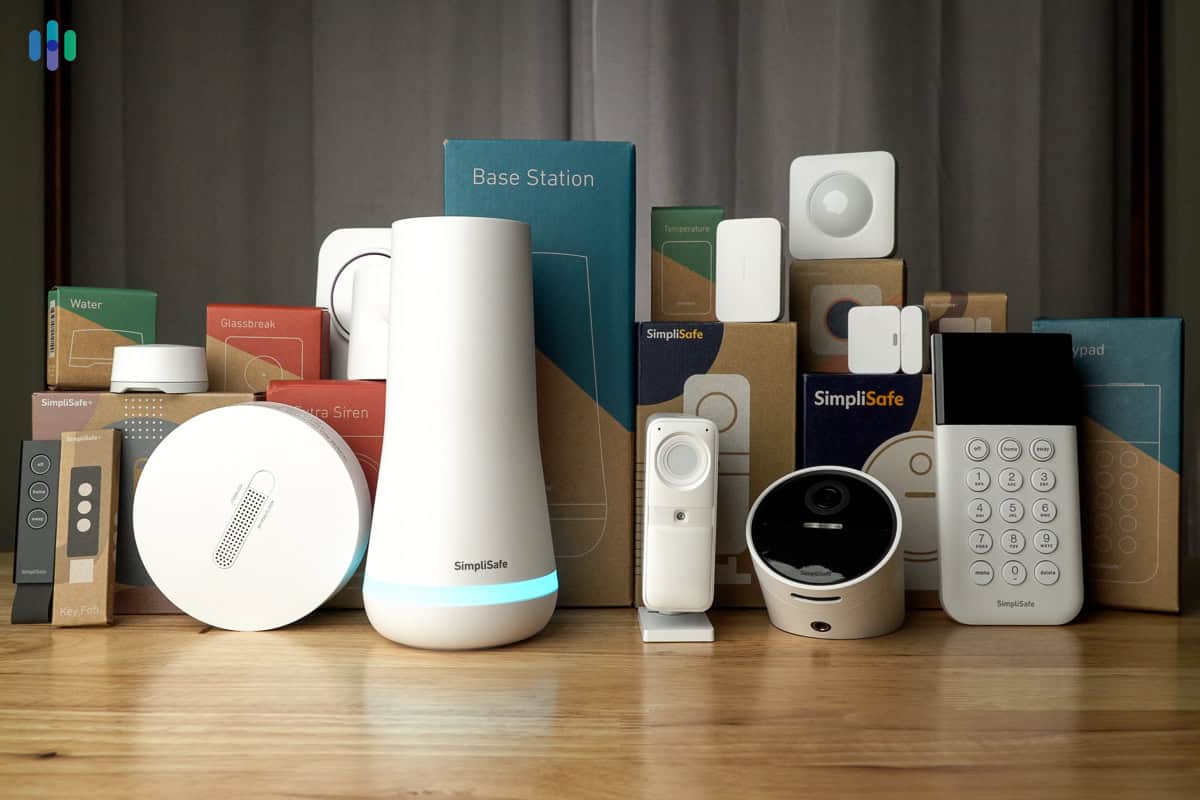
Most budget systems are DIY, saving professional fees but requiring effort. Common features include door/window sensors, motion detection, and an indoor camera or two. Local storage via microSD cards is also common, avoiding initial cloud storage fees.
Don't expect advanced features like facial recognition, AI alerts, or wide smart home integration. Cellular backup is also rare. Even basic measures like a strong door lock and visible sensors can deter intruders. It's about layers of defense, and a simple system is a step forward.
The Top 7 Affordable Systems
Here are seven budget-friendly security systems available in 2026. Prices can fluctuate, so consider these estimates. The focus is on systems with consistently positive reviews and a good balance of features for the price.
Wyze Home Monitoring: Wyze delivers impressive value. Their core kit, around $79, includes a base station, two door/window sensors, and a motion sensor. Cameras cost about $30-$60 each. The downside is Wyze's reliance on cloud storage, with past security concerns (though many have been addressed).
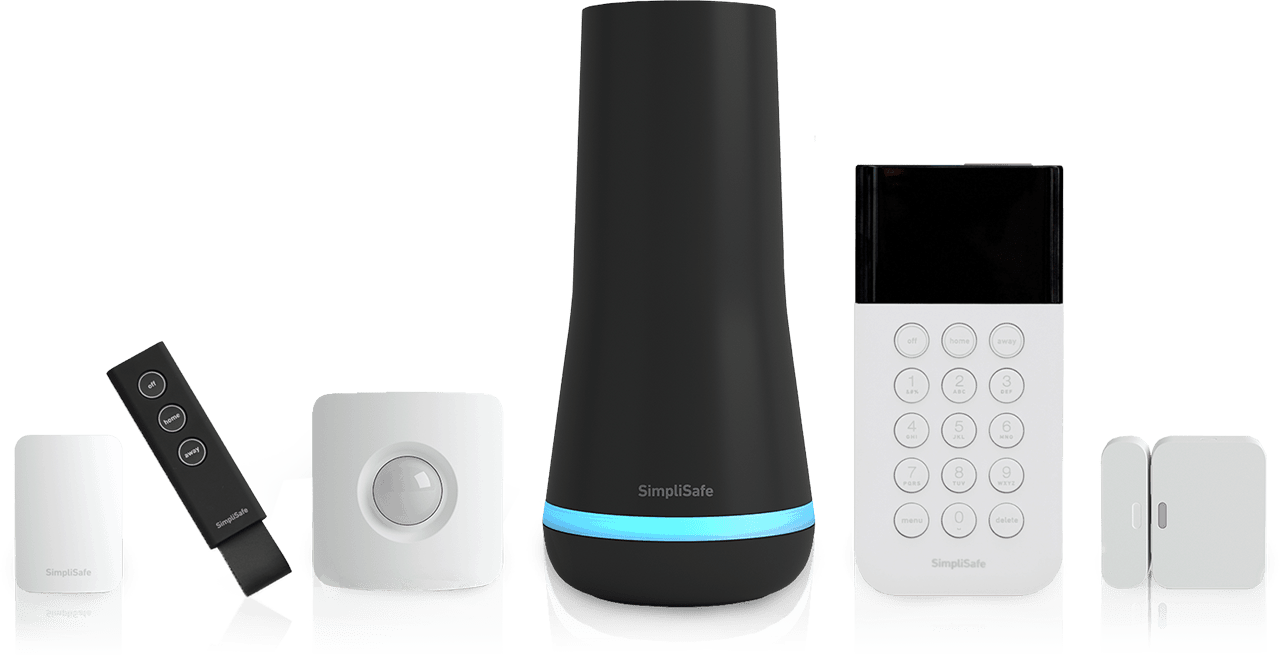
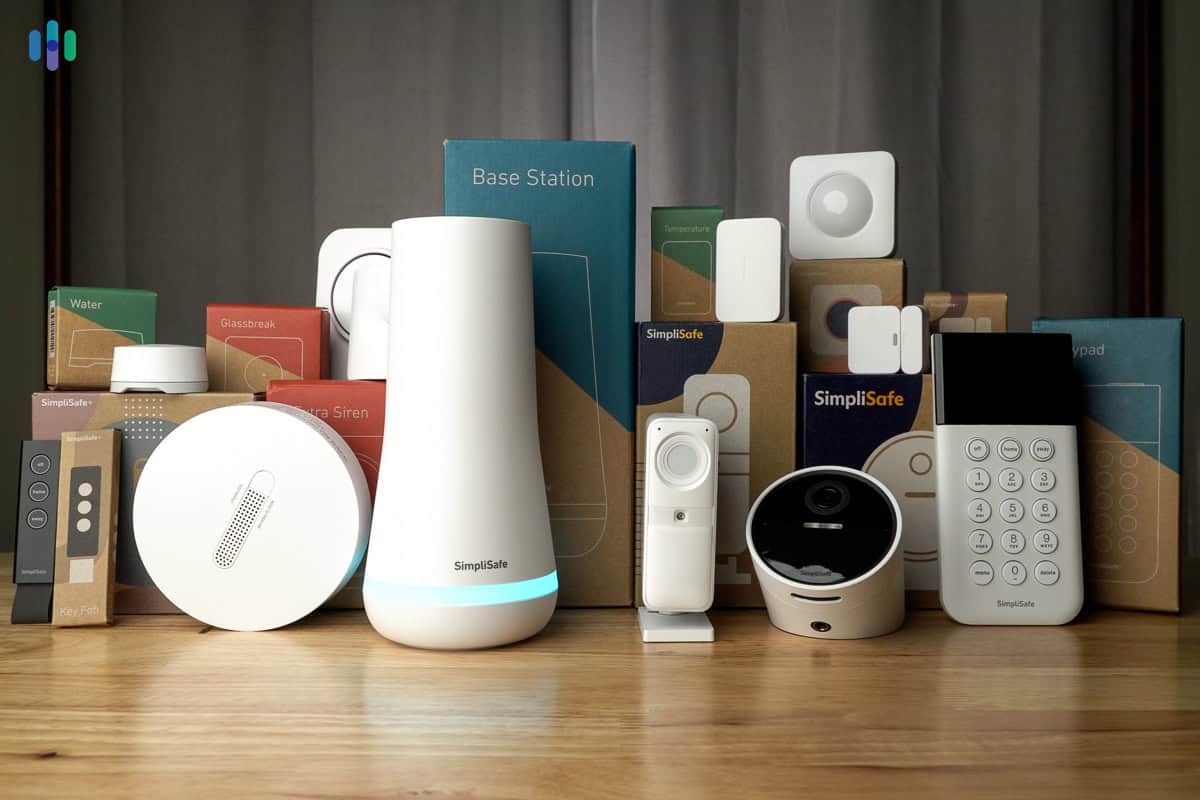
SimpliSafe (Base Package): SimpliSafe is well-established. Their base package, around $189, includes a base station, an entry sensor, and a motion sensor. It's known for ease of use and straightforward setup. Professional monitoring is available but adds to the monthly cost. SimpliSafe's hardware feels dated compared to newer options.
Ring Alarm (Basic): Ring, owned by Amazon, offers a basic alarm system for around $130. It includes a base station, a contact sensor, and a motion detector. Integration with Amazon Alexa is seamless, but you’ll need a Ring Protect subscription for video recording and professional monitoring. Privacy concerns surrounding Ring have been raised in the past.
Blink Home Security: Blink, also owned by Amazon, focuses on wireless, battery-powered cameras. A three-camera kit costs around $160. It's incredibly easy to install, but video quality isn’t the best, and you’ll need a subscription for cloud storage. Blink is a good option for basic outdoor surveillance.
Eufy Security: Eufy stands out for its local storage options. Their kits, typically around $180-$200, include a base station and several cameras that record directly to a HomeBase. This avoids monthly cloud storage fees. Eufy’s cameras offer good video quality and reliable performance. Setup can be a little more involved than some other systems.
Abode (DIY): Abode offers a more customizable system. Their basic kit, around $150, includes a gateway and a few sensors. It supports both DIY and professional monitoring. Abode is a good choice for those who want more control over their security setup. It's also compatible with a wider range of smart home devices.
Blue by ADT (Basic): Blue by ADT offers a simplified version of ADT’s professional monitoring services. Their basic kit, around $179, includes a base station, a door/window sensor, and a motion detector. It’s a good option for those who want the peace of mind of professional monitoring without the high cost of a traditional ADT system. However, the system relies heavily on a subscription.
Featured Products

Wireless setup for easy installation · Optional 24/7 professional monitoring available · No contract required
This system offers a solid foundation for home security with the flexibility of optional professional monitoring and smart home integration, all without long-term contracts.

Includes a built-in eero Wi-Fi 6 router for enhanced network performance · 8-piece kit provides comprehensive coverage · 30-day free Ring Protect Home subscription included
The Ring Alarm Pro combines security with network enhancement, offering a powerful Wi-Fi 6 router and a robust security system in one package.

Includes Hub, Keypad, Motion Sensor, and two Entry Sensors · Compatible with other Wyze sensors (Cam, Leak, Climate) · 3 months of 24/7 professional monitoring service included
This kit is an exceptionally budget-friendly entry point into home security, offering essential sensors and a trial of professional monitoring.

Generous 14-piece kit for extensive coverage · Expandable system to suit larger homes or businesses · Easy setup with mobile app control
For maximum coverage at a competitive price, this 14-piece Ring Alarm kit provides a comprehensive and expandable security solution.
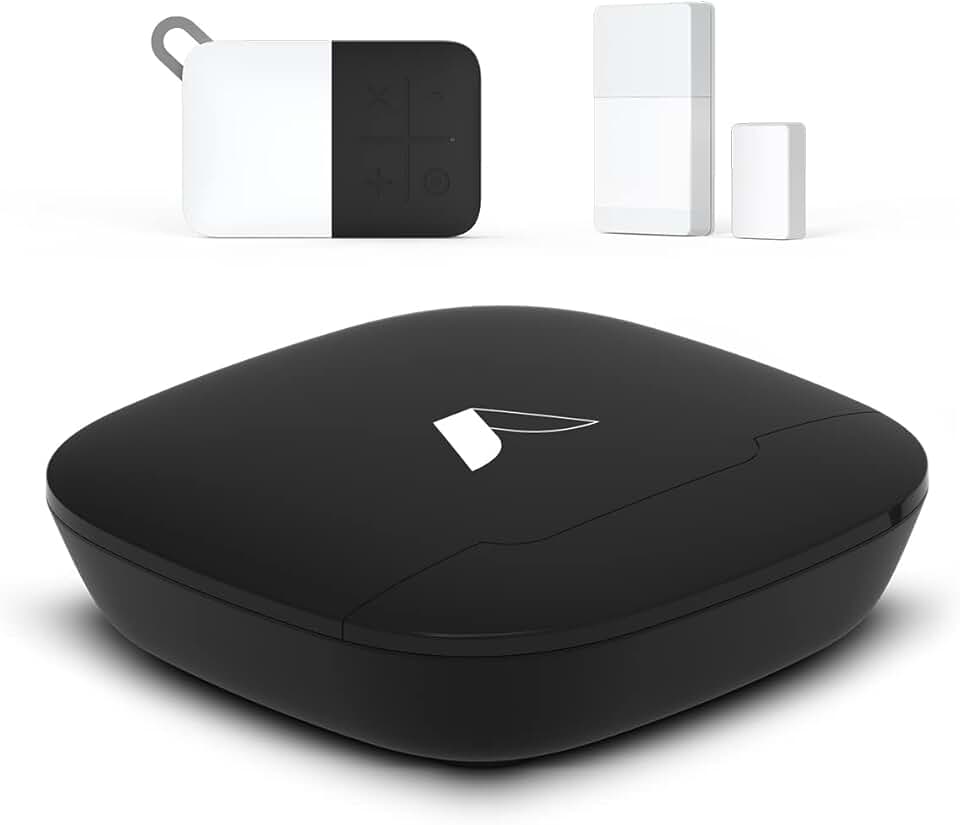
3-piece wireless kit for essential security · Expandable to cover your entire home · Easy DIY installation
The Abode kit offers a highly affordable and customizable starting point for smart home security, with easy setup and broad smart assistant compatibility.
As an Amazon Associate I earn from qualifying purchases. Prices may vary.
Installation: DIY or Not?
A big advantage of these budget systems is DIY installation. Most kits are designed for anyone to set up with minimal technical expertise. This saves the cost of professional installation, which can add $100 or more. It requires some time and effort.
Installation involves downloading an app, connecting the base station to Wi-Fi, and pairing sensors. Sensor placement is key – doors and windows are obvious, but consider high-traffic areas for motion sensors. A typical Wyze install takes about 30-60 minutes. You’ll need a smartphone, a stable Wi-Fi connection, and possibly a screwdriver.
Common pain points include Wi-Fi connectivity issues, difficulty pairing sensors, and navigating the app. Read the instructions carefully and watch online tutorials if you get stuck. It’s also important to test the system thoroughly after installation to ensure everything is working correctly. A step-by-step guide for a typical DIY install looks like this: 1. Download the app. 2. Connect the base station. 3. Add sensors. 4. Test the system.
Content is being updated. Check back soon.
Hidden Costs and Ongoing Fees
Don’t assume the initial purchase price is the only cost you’ll incur. Many budget systems rely on subscription fees for certain features, such as cloud storage for video recordings. These fees can add up over time. Carefully review the subscription options before you buy. Some systems offer limited free cloud storage, but it may be insufficient for your needs.
Battery replacement is another ongoing cost. Sensors typically run on batteries, and you’ll need to replace them periodically. The frequency will depend on usage and sensor type. The Biden-Whitehouse memo M-25-04 emphasizes the importance of continuous monitoring and updates, which indirectly impacts the need for maintained power sources for security devices.
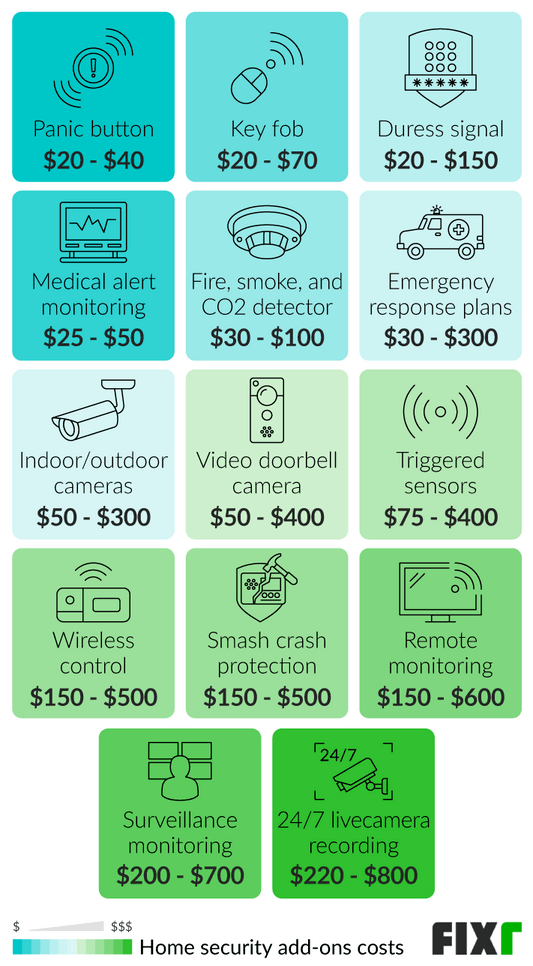
Factor in the cost of any additional sensors or cameras you might want to add later. While the base kit may be affordable, expanding the system can quickly increase the overall cost. Be sure to compare the total cost of ownership, including subscription fees and battery replacements, before making a decision.
Beyond the Basics: Smart Home Integration
Many budget security systems offer integration with popular smart home platforms like Amazon Alexa and Google Assistant. This allows you to control your system with voice commands and create routines to automate tasks. For example, you could set up a routine to arm the system when you leave home or turn on the lights when motion is detected.
The level of integration varies between systems. Some offer seamless integration, while others have limited functionality. Check the system’s compatibility with your existing smart home devices before you buy. IFTTT (If This Then That) support can also expand integration options, allowing you to connect your security system to a wider range of devices and services.
Smart home integration isn’t essential for basic security, but it can add convenience and enhance the overall experience. If you’re already invested in a smart home ecosystem, choosing a system that integrates well with your existing devices can be a significant benefit.
Smart Home Integration Comparison: Budget Systems (Under $200 - 2026)
| System Name | Alexa Integration | Google Assistant Integration | IFTTT Support | Notes |
|---|---|---|---|---|
| Simplisafe (Entry Level) | Good | Limited | Yes | Voice control for arming/disarming with Alexa. Google Assistant integration primarily for notifications. |
| Ring Alarm (Basic) | Excellent | Good | Yes | Deep Alexa integration; can control many Ring devices via voice. Google Assistant offers basic control and information. |
| Wyze Home Monitoring (Core) | Good | Good | Yes | Alexa and Google Assistant allow arming/disarming and status checks. IFTTT enables connections to a wide range of services. |
| Blink Home Security (Starter Kit) | Good | Limited | No | Alexa integration for live view and arming/disarming. Google Assistant support is minimal. |
| Abode (Basic Plan) | Good | Good | Yes | Both Alexa and Google Assistant offer voice control. IFTTT allows for custom automation routines. |
| Eufy Security (Essential) | Good | Limited | No | Alexa integration for voice control and routines. Google Assistant functionality is limited to status updates. |
| Blue by ADT (Starter Kit) | Good | Good | Yes | Alexa and Google Assistant integration for arming/disarming and system status. IFTTT allows for broader smart home connections. |
Illustrative comparison based on the article research brief. Verify current pricing, limits, and product details in the official docs before relying on it.
Standout Systems: Worth a Closer Look
If I had to pick just a couple of systems from the list that offer the best overall value, I’d recommend Wyze Home Monitoring and Eufy Security. Wyze consistently impresses with its affordability and features, making it a great option for renters or those on a tight budget. It’s easy to set up and use, and the camera quality is surprisingly good for the price.
Eufy stands out for its commitment to local storage, which eliminates the need for monthly cloud storage fees. Their cameras offer excellent video quality and reliable performance. While the setup can be a bit more involved than Wyze, the long-term cost savings and privacy benefits make it a compelling choice. Both systems deliver a lot of bang for your buck.
Staying Secure: Best Practices
Even the best security system is only as good as its implementation. Here are a few best practices to maximize your security, even with a budget system. First, use a strong, unique password for your Wi-Fi network and your security system account. Regularly update the system’s software to patch any security vulnerabilities.
Strategic sensor placement is crucial. Focus on doors, windows, and other potential entry points. Consider placing motion sensors in high-traffic areas and hallways. Make sure the system is visible to deter potential intruders. A security sticker in the window can be surprisingly effective.
Be vigilant and aware of your surroundings. Don't rely solely on the security system to protect your home. Report any suspicious activity to the police. A proactive approach to security—combining technology with common sense—is the most effective way to keep your home and family safe.
- Use a strong Wi-Fi password.
- Update system software regularly.
- Place sensors strategically.
- Make the system visible.
- Be vigilant and report suspicious activity.
No comments yet. Be the first to share your thoughts!