
Keeping Safe Doesn't Mean Broke
The cost of everything seems to be going up, and that includes peace of mind. Many people are understandably hesitant to invest in expensive home security systems right now. But keeping your family and property safe doesn’t automatically require a fortune. A $200 budget, while not going to buy you a state-of-the-art fortress, is enough to get a basic level of protection in place.
We need to be realistic about what this price point offers. This isn’t about whole-home coverage with all the bells and whistles. Instead, we’re focusing on DIY systems and basic professionally monitored options that offer a strong deterrent and a measure of security. It’s about creating layers of protection, starting with the most affordable and effective options.
This guide will walk you through what to expect, the trade-offs you’ll encounter, and ten systems currently available in 2026 that can help you secure your home without breaking the bank. The goal is to provide a starting point – a foundation you can build upon as your needs and budget evolve. Don't expect perfection, but do expect a noticeable improvement in security.
What $200 Buys You in 2026
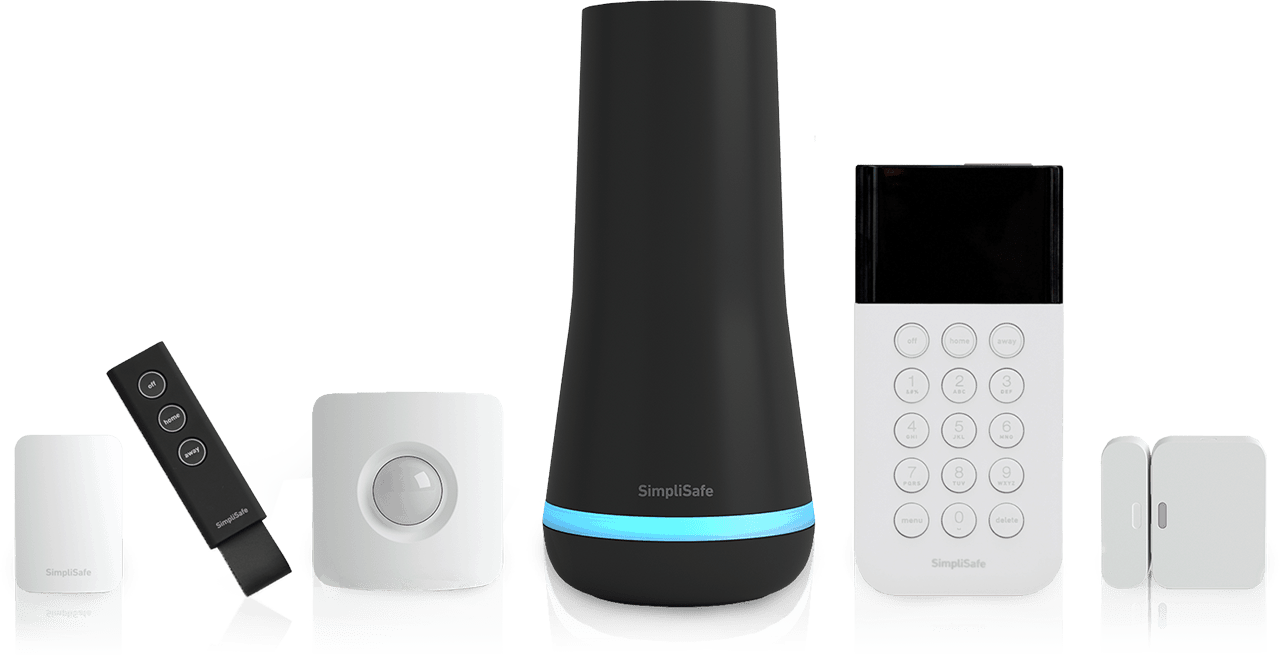
For around $200 in 2026, you’re generally looking at a basic security system package. This usually includes a base station, a couple of door/window sensors, and potentially a motion detector. Don't anticipate a lot of extra bells and whistles at this price point. Expect to make choices. For example, will you self-monitor or pay for professional monitoring?
The biggest trade-off is often between self-monitoring and professional monitoring. Self-monitoring means you’re responsible for responding to alerts. This saves on monthly fees, but requires you to be vigilant and available. Professional monitoring, on the other hand, provides 24/7 support and dispatch of emergency services, but comes with a recurring cost, usually between $10 and $30 per month. Wireless systems are more common at this price, offering easier installation, but require battery replacements.
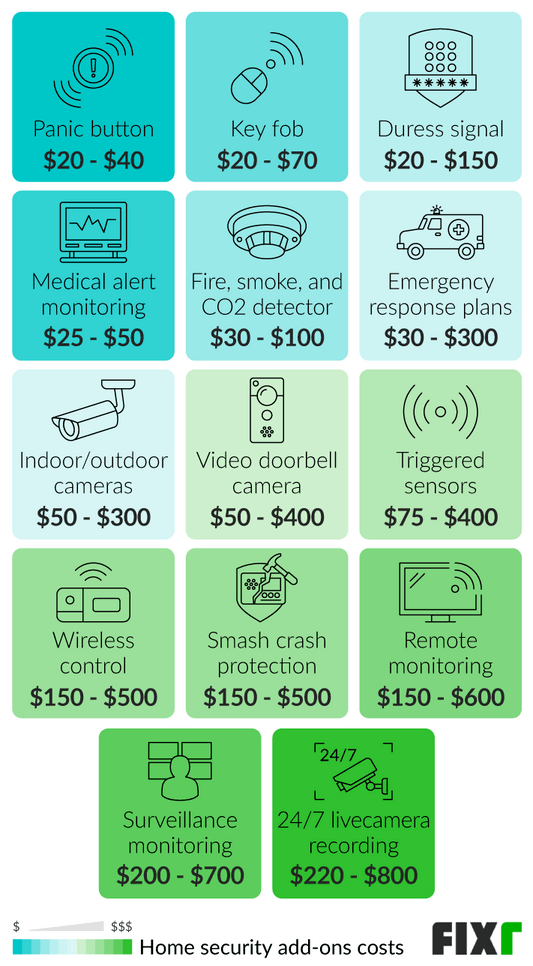
Beyond the initial hardware, factor in potential ongoing costs. Many systems require a cloud storage subscription to access recorded video footage from security cameras. Batteries for sensors also need to be replaced periodically. The cost of these extras can add up, so be sure to factor them into your overall budget. Thankfully, technology continues to become more affordable, but don't expect a $200 system to have everything.
Top 10 Affordable Systems (Under $200)
Here's a look at ten affordable home security systems available as of late 2026, all generally available for under $200 for a basic starter kit. Prices can fluctuate, so these are estimates based on current market trends. Information is sourced from SafeHome.org and Security.org.
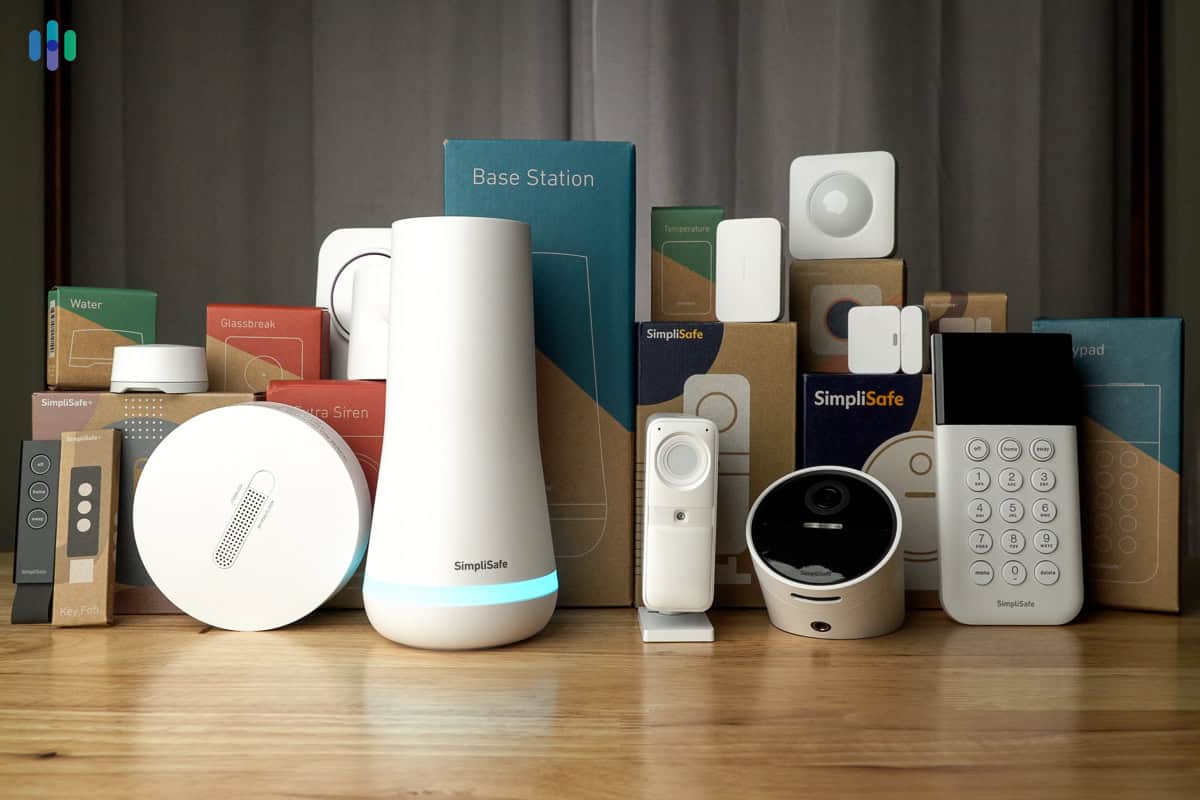
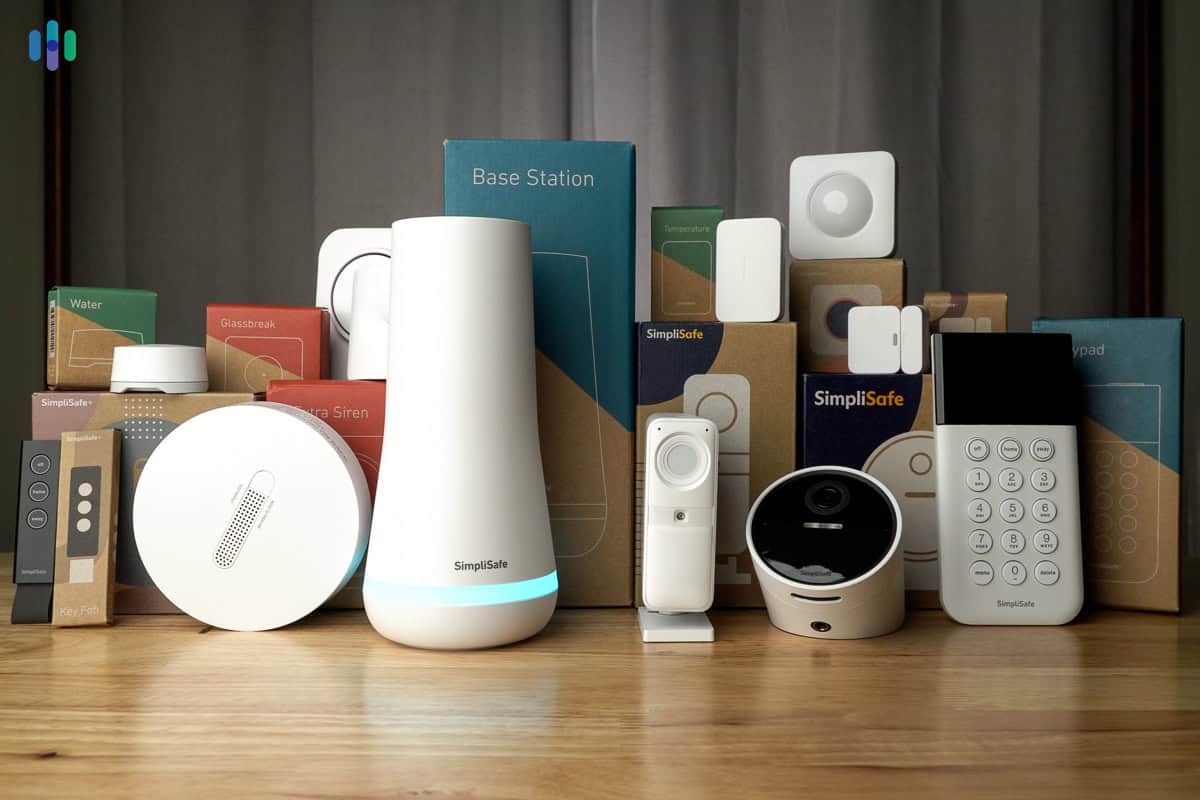
1. SimpliSafe: (Approx. $180) SimpliSafe is known for its ease of use and no-contract monitoring plans. The base package typically includes a base station, an entry sensor, and a motion sensor. It’s a solid choice for renters or those who want a simple, reliable system. The downside is that it requires a paid subscription for most features.
2. Wyze Home Monitoring: (Approx. $80 - $120) Wyze offers a surprisingly comprehensive system for a very low price. The core kit includes a base station, door/window sensors, and a motion sensor. It integrates well with Wyze’s affordable cameras. Professional monitoring is available for a low monthly fee, but the hardware feels a little less robust than SimpliSafe.
3. Ring Alarm: (Approx. $200) Ring’s base package includes a base station, a keypad, a contact sensor, and a motion detector. It's a good option if you already use other Ring products, like a video doorbell. However, professional monitoring requires a Ring Protect Plan subscription.
4. Eufy Security: (Approx. $150 - $180) Eufy focuses on local storage and privacy. Their systems often include a base station and door/window sensors, with options to add cameras. No monthly fee is required for local storage, making it an attractive option for those concerned about data privacy.
5. Abode: (Approx. $170) Abode offers a flexible DIY system with a range of sensors and integrations. It's a good choice for those who want more control over their setup. Professional monitoring is available, but also adds to the cost.
6. Blink Home Security: (Approx. $100) Blink is an Amazon-owned company with a focus on wireless security. The starter kit typically includes a sync module, a motion detector, and contact sensors. It’s a budget-friendly option, but the features are somewhat limited.
7. Blue by ADT: (Approx. $180) Blue by ADT is a more affordable offering from the well-known ADT brand. It provides a basic level of security with professional monitoring options. It's a good choice for those who want the reassurance of ADT's name, but at a lower price point.
8. Cove: (Approx. $150) Cove offers professional monitoring and fast response times. The starter kit includes a base station, a door sensor, and a motion detector. It's a relatively new player in the market, but has quickly gained a reputation for good customer service.
9. GeoZilla: (Approx. $130) GeoZilla is a DIY system with a focus on affordability and flexibility. It offers a range of sensors and integrations, and allows for self-monitoring or professional monitoring. It’s a good choice for those who want a customizable system.
10. Scout Alarm: (Approx. $199) Scout Alarm is another DIY option with a focus on simplicity. The starter kit includes a base station, a keypad, and door/window sensors. It offers professional monitoring options, but is also easy to self-monitor.
Featured Products

Integrated eero Wi-Fi 6 router for enhanced network connectivity · 8-piece kit includes base station, keypad, motion detector, contact sensors, and range extender · 30-day free Ring Protect Pro subscription for professional monitoring and cellular backup
This comprehensive kit offers advanced Wi-Fi capabilities and a robust set of sensors, providing a strong foundation for home security.

9-piece wireless system with base station, keypad, motion sensors, and entry sensors · Includes an outdoor camera and wired video doorbell for comprehensive surveillance · Optional 24/7 professional monitoring with no long-term contracts
SimpliSafe provides a scalable and flexible security solution with optional professional monitoring, suitable for various home sizes and security needs.

Core kit includes hub, keypad, motion sensor, and two entry sensors · Compatible with a range of Wyze sensors, including cameras, leak, and climate sensors · Includes 3 months of 24/7 professional monitoring service
The Wyze Home Security Core Kit is an exceptionally affordable entry point into smart home security, offering essential components and expandable options.

2K video resolution with advanced night vision for clear footage · Built-in Gemini AI for intelligent alerts and activity detection · 2-way audio allows for communication through the camera
This indoor camera delivers high-quality video and smart features like AI-powered alerts at a very competitive price point.

2K+ resolution with pan and tilt functionality for wide coverage · Motion detection and tracking automatically follow movement · Subscription-free local storage option via microSD card
The Kasa indoor camera offers excellent video quality and smart tracking features without requiring a mandatory subscription for local storage.
As an Amazon Associate I earn from qualifying purchases. Prices may vary.
DIY vs. Professional Monitoring: The Trade-Offs
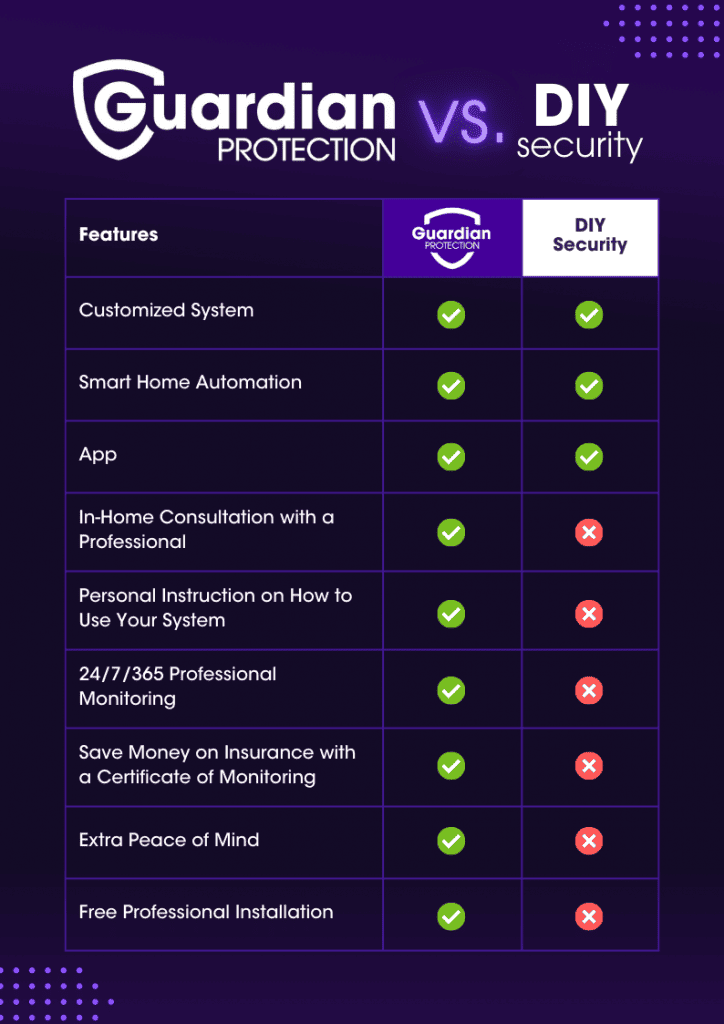
The biggest decision you’ll make is whether to self-monitor or opt for professional monitoring. Professional monitoring, typically offered for a monthly fee, means a monitoring center is watching your system 24/7. If an alarm is triggered, they’ll attempt to verify it and dispatch emergency services if needed. This provides peace of mind, especially when you're away from home, and can sometimes even lower your homeowner's insurance premiums.
However, professional monitoring comes at a recurring cost, usually ranging from $10 to $30 per month. Self-monitoring, on the other hand, puts the responsibility in your hands. You’ll receive alerts on your smartphone and be responsible for contacting emergency services if necessary. This is a good option if you’re comfortable with technology and want to save money. It also offers more control, as you’re not reliant on a third-party monitoring center.
Consider what happens during a power outage. Most professionally monitored systems have battery backups, ensuring they continue to function even if the power goes out. DIY systems may or may not have this feature, so it’s important to check. A UPS (Uninterruptible Power Supply) can be a good investment for DIY systems to ensure continued operation during outages.
Standout Systems: Wyze and SimpliSafe
While all ten systems offer value, Wyze and SimpliSafe stand out as particularly strong contenders in the affordable home security space. Wyze impresses with its incredibly low price point and surprisingly robust feature set. The integration with Wyze’s cameras, also very affordable, is a significant advantage. However, the build quality of the sensors feels a bit less premium.
SimpliSafe, on the other hand, has built a strong reputation for reliability and ease of use. It’s a well-established brand with a proven track record. The system is easy to set up and manage, and the professional monitoring options are reasonably priced. It's a good choice for those who want a hassle-free experience. Just be aware that many features require a paid subscription.
Both systems are excellent starting points, but the best choice depends on your priorities. If budget is your primary concern and you're comfortable with a bit of DIY, Wyze is a great option. If you prioritize reliability and ease of use, SimpliSafe is a solid choice. They both represent a good balance of features and affordability.
Beyond the Basics: Smart Home Integration
Many affordable security systems are now offering integration with other smart home devices. This allows you to create a more connected and automated home security experience. For example, you might be able to integrate your security system with smart locks to automatically lock your doors when you arm the system, or with smart lights to turn on when an alarm is triggered.
Compatibility with voice assistants like Alexa and Google Assistant is also becoming increasingly common. This allows you to control your security system with voice commands, such as arming or disarming the system, or checking the status of your sensors. However, the level of integration varies between systems. Some systems offer more comprehensive integration than others.
At this price point, don’t expect seamless integration with every smart home device. Compatibility may be limited to certain brands or devices. It’s important to check the system’s specifications to ensure it’s compatible with the devices you already own or plan to purchase.
Common Mistakes to Avoid
Even the best security system won’t be effective if it’s not installed and used properly. One common mistake is poor sensor placement. Make sure door and window sensors are installed on all accessible entry points, and motion detectors are placed in areas where intruders are likely to pass. Avoid placing sensors near heat sources or windows, as this can cause false alarms.
Another common mistake is using weak Wi-Fi passwords. Your Wi-Fi network is the gateway to your security system, so it’s important to protect it with a strong, unique password. Regularly update your system's software to patch security vulnerabilities. Don’t forget to test your system regularly to ensure it’s functioning correctly.
Don’t underestimate the importance of exterior lighting and landscaping. A well-lit property is less attractive to burglars. Trim shrubs and trees that could provide cover for intruders. Consider adding motion-activated lights to deter potential threats. These simple measures can significantly enhance your home security.
- Secure Wi-Fi: Use a strong, unique password.
- Sensor Placement: Ensure all entry points are covered.
- Regular Testing: Verify the system is functioning.
- Exterior Lighting: Illuminate potential hiding spots.
Future-Proofing Your Budget System
A $200 security system doesn’t have to be a final solution. It can be a starting point that you build upon over time. As your budget allows, you can add more sensors to cover more areas of your home. You could also upgrade to professional monitoring for added peace of mind.
Consider integrating additional smart home devices to create a more comprehensive security ecosystem. A smart doorbell can provide video surveillance of your front door, while smart locks can allow you to remotely lock and unlock your doors. These additions can enhance your security and convenience.
The technology landscape is constantly evolving, but a basic security system provides a solid foundation. By starting small and gradually upgrading, you can create a secure home environment without overspending. It's about taking proactive steps and building layers of protection over time.
No comments yet. Be the first to share your thoughts!